Correcting a payout
Fix an overpayment or underpayment after a vendor has already been paid.
Sometimes a payout turns out wrong after the money has already moved — a price was entered incorrectly, a quantity was miscounted, or a manual override on the Net Payout field didn't match what you meant to send. The Correct action on the Payments page fixes this without waiting for next month or trying to net it out by hand.
Finding it
On the Payments page, any vendor row already marked Paid for the selected month shows a Correct button in place of Pay Now.
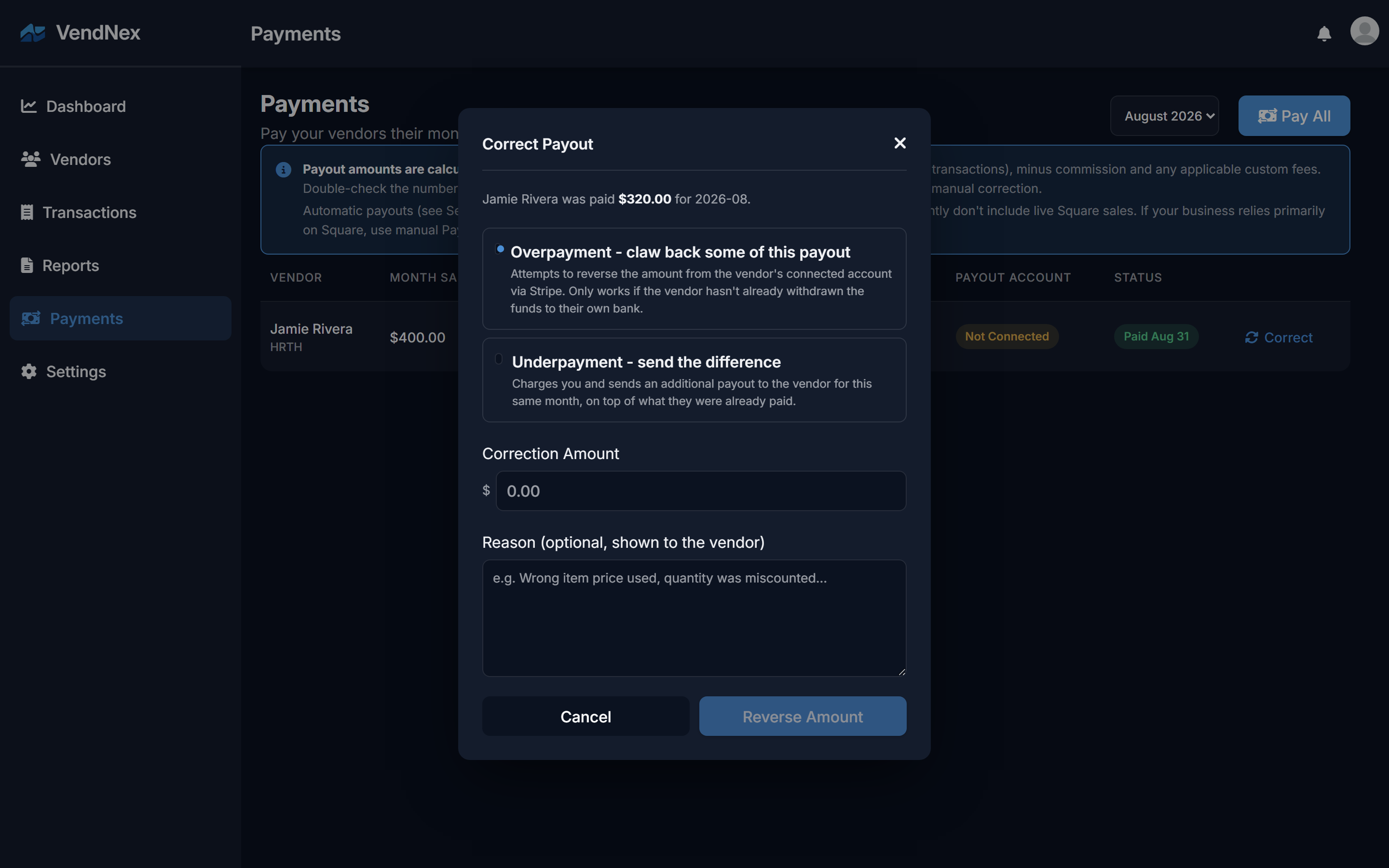
Overpayment — claw back some of the payout
Choose this when the vendor was sent too much. VendNex asks Stripe to reverse the amount straight out of the vendor's connected account.
This only works if the vendor's Stripe balance still holds enough of the original transfer — if they've already moved the money to their own bank, the reversal is rejected. When that happens, VendNex doesn't fail silently: it records the attempt as needing manual resolution and tells you so, and you'll need to work it out with the vendor directly (a deduction from next month's payout, for example).
Underpayment — send the difference
Choose this when the vendor was sent too little. VendNex charges you and sends the extra amount to the vendor as a second payout for that same month, on top of what they already received.
Reason
The reason field is optional but shown directly to the vendor in their notification — a short note like "wrong item price used" answers the question before they have to ask it.
What the vendor sees
Either kind of correction sends the vendor a notification with the amount and your reason, and shows up in their own Payment History once it completes.
What doesn't change
A correction never edits the original payout record — it's logged as its own entry, so you always have a clear trail of what was paid originally and what was corrected afterward, rather than a single number that's been quietly overwritten.