Commission rates and custom fees
Set your default commission and add recurring fees like booth rent.
There are two separate things that come out of a vendor's sales: your commission (a percentage of what sold) and any custom fees (fixed or percentage charges you define).
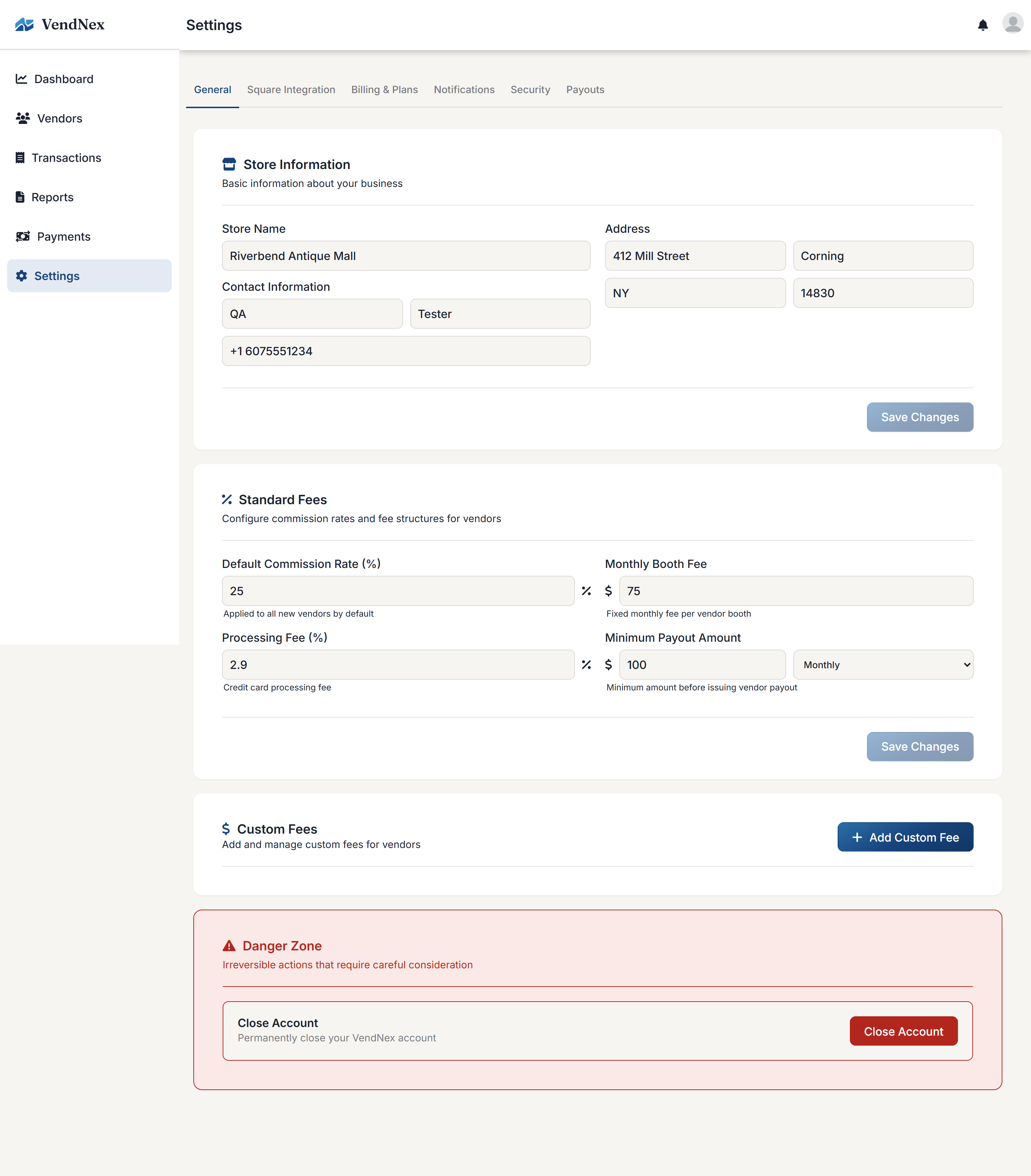
The default commission rate
In Settings → General, the Default Commission Rate is applied to every new vendor you add. Changing it doesn't alter vendors who already exist — adjust those on the vendor's own page.
Standard fees are for reference only
The other fields under Settings → General (Monthly Booth Fee, Processing Fee, Minimum Payout Amount) are notes for your own records. They are not deducted from payouts. To actually charge a vendor a booth fee, a processing percentage, or anything else, add it as a custom fee below. Payout minimums are fixed by VendNex — $5.00 per vendor and $20.00 per run — and can't be changed there.
Custom fees
Custom fees are for anything else you deduct — advertising contributions, cleaning, shared display costs, card-processing charges. Each fee has a name, an amount, and a type: a percentage of each sale, a flat amount per transaction, or a flat amount per month. You can apply a fee to every vendor or to specific vendors only.
Percentage and per-transaction fees can also be limited to certain payment methods — Card, Cash, or Other (gift cards, wallets and similar). For example, a 15% fee on card sales only charges vendors 15% of the sales that were paid by card. A sale that was split between card and cash is charged on the card portion. Leave the payment methods on "All" to charge every sale.
Payment methods come from Square and Shopify automatically, and from the Card/Cash choice on transactions you add by hand. If a sale doesn't have a payment method recorded yet, a card- or cash-specific fee isn't applied to it, and the report tells you how many sales that affects.
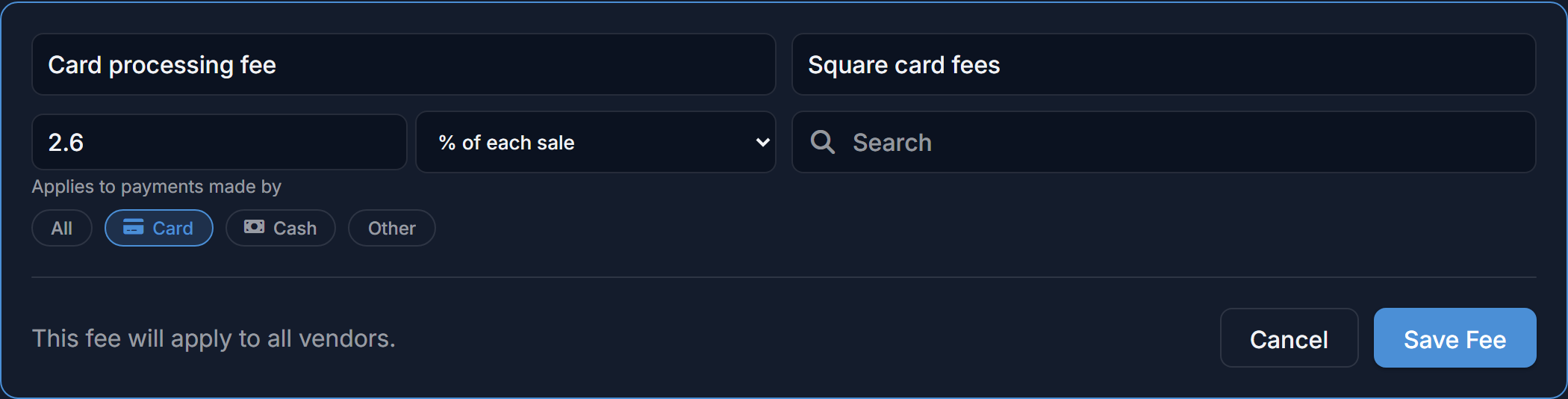
Check this setting if you're passing on card processing fees. If none of Card, Cash or Other is highlighted, the fee is "All" and is charged on every sale, cash included. Fees created before payment methods were added default to All. To charge card sales only, edit the fee and click Card so it's the only option highlighted.
Fees are calculated live from your current settings rather than being saved on each transaction. When you edit a fee, every sale in an unpaid month is recalculated automatically — you don't need to fix old transactions. A month you've already paid keeps the amount it was paid at; if sales change after payment, the Payments page shows the difference for you to settle.
Sales tax
Commission and custom fees are always calculated on the item's sale price, before sales tax. What happens to the tax itself depends on Settings → General → Tax Payout: with Business you keep it, and with Vendor it's added to the vendor's payout on top of their share. See Recording sales by hand.
Custom fees show up as their own line on the vendor's report, so they can see exactly what was deducted and why. They're also subtracted when calculating payouts on the Payments page.