Generating vendor reports
Produce an itemized monthly statement showing exactly what a vendor is owed.
The report is the document you hand a vendor at the end of the month. It shows every item that sold, what the shop kept, and what they're owed.
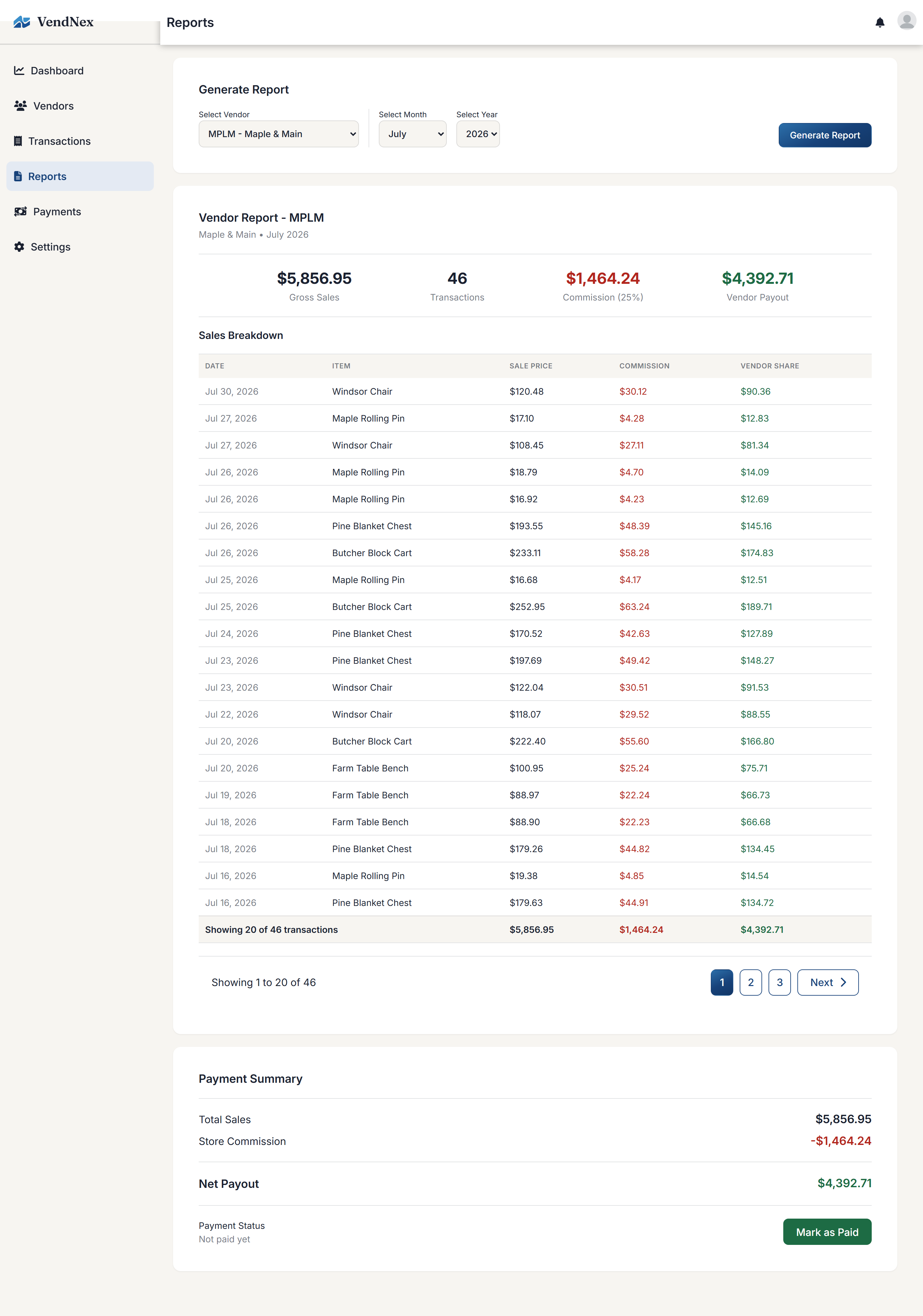
Generating one
Go to Reports, pick a vendor, a month, and a year. The report builds immediately — there's no "run" step for viewing it.
Reading the report
- Gross Sales — everything that sold for that vendor in the month
- Transactions — how many items sold
- Commission — the shop's cut, at that vendor's rate
- Vendor Payout — what's left for the vendor
Below that, Sales Breakdown lists each item with its date, sale price, commission, and the vendor's share. The Payment Summary at the bottom repeats the math and subtracts any custom fees that apply to that vendor.
Printing
Reports are formatted to print cleanly, so you can print one and hand it over with a check.